


WATCH YOUR PC
Eye care tips for Computer users



WATCH YOUR PC
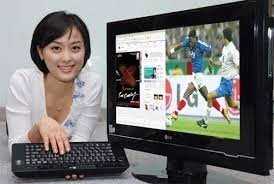
Your PC and laptop have a great impact in affecting or maintaining the eyes properly. Replace your old CRT monitors with the new LCD or LED monitors. As CRT monitors have low refresh rate it causes flickers which inturn causes strain to the eyes. Nowadays LCD monitors are very cheap and consume less space than traditional CRT monitors. These LCD monitors come mostly with anti reflective coating and it has high resolution which gives great viewing without much damage to our eyes. Adjust your screen brightness, color and contrast ratio. Your screen must be brighter compared to your surroundings. Keep your text in the screen as brighter and sharper as you can, so that you dont need to look close the text by leaning forward and it is also important to have a proper text font and size for better viewing. Avoid awkward angle in viewing the screen as it causes much strain to the eye.

 Locate reference material properly
 Make Use Of Tea Bags
 Use Eye Care Drops
 Physical Exercises
 Breathe Regularly
 Reduce Your Time Spent On Network
 Watering Eyes
 Remove Dark Circles And Have Natural Healthy Eyes
 Stop Rubbing The Eyes
 Visit the eye doctor annually
 If You Often Make Up Your Eyes Choose The Quality Products
 Distance Gazing
 Test your English Language
  Benefits of Radicchio
 Precaution while using LPG
 Snow White
 Brics Reasons Tim Tebow Breaks The Mold Accessories For Savvy Travelers
 Best Tourist Spots in the World Rules to play Ultimate Frisbee
 Precautions while using Electrical Equipment Rules to play Petanque
 Healthy Back
 Xmas Party Ideas
 Summer Health Foods Rules to play 3 Ball Pool Most Dangerous Animal in the World
 New Mehandi Designs
 New Year Celebration Ideas New Year Games